
Documentation
Chataigne
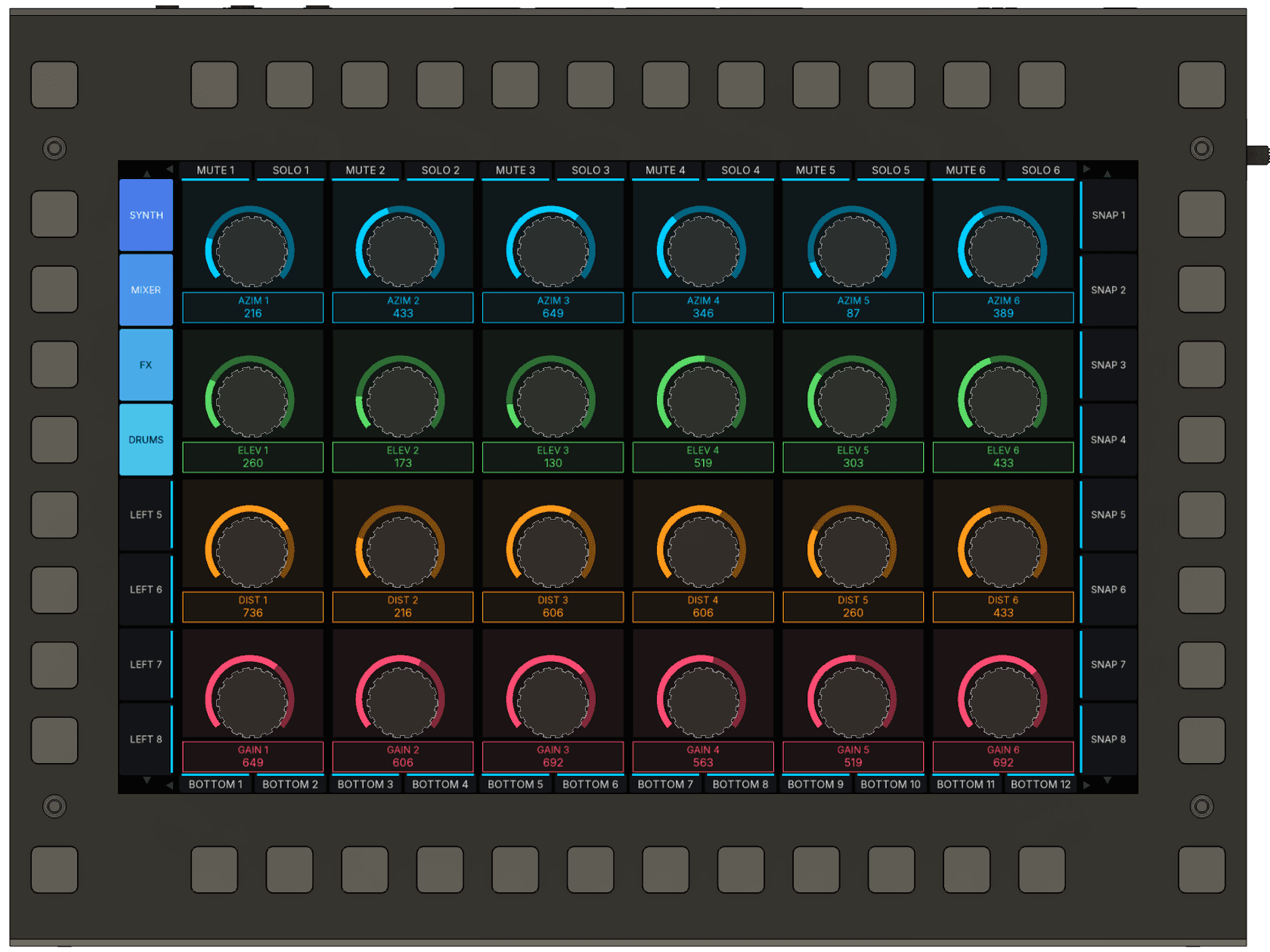
How it connects
KARL has no network port, so its OSC goes through the KARL Configurator on your computer. The configurator sends what KARL plays to Chataigne on UDP port 12000 and listens on 12001 for what Chataigne sends back. Keep the configurator open while you play.
In the configurator you make surface pages. On a surface page every knob and key has a fixed OSC address, so Chataigne knows each control without reading your project. The KARL module for Chataigne turns those addresses into values you can map, and commands that rename, recolour and move KARL's controls.
What you need
- Chataigne 1.10 or later, on Mac, Windows or Linux.
- The KARL Configurator, with KARL plugged in over USB.
- The KARL module for Chataigne.
1. Add Chataigne in the configurator
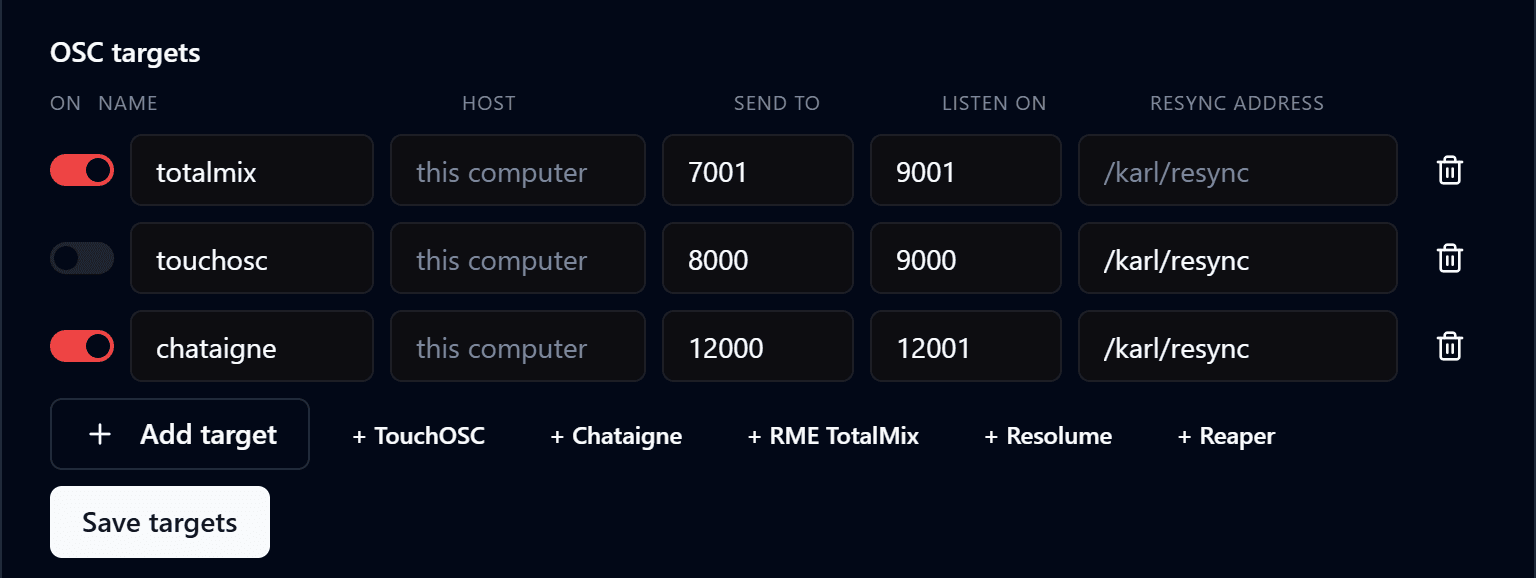
Open Connections from the button next to KARL's name, at the bottom left. Under OSC targets, click + Chataigne, then Save targets. The new target sends to 12000, listens on 12001, and sends /karl/resync each time the link to KARL comes up.
2. Make a surface page
Open the Library from the toolbar and choose the OSC surface tab. Pick the chataigne target and bank 1, then click Create page. The page is called SURFACE 1 and holds all 24 knobs and the keys of the edges you ticked.
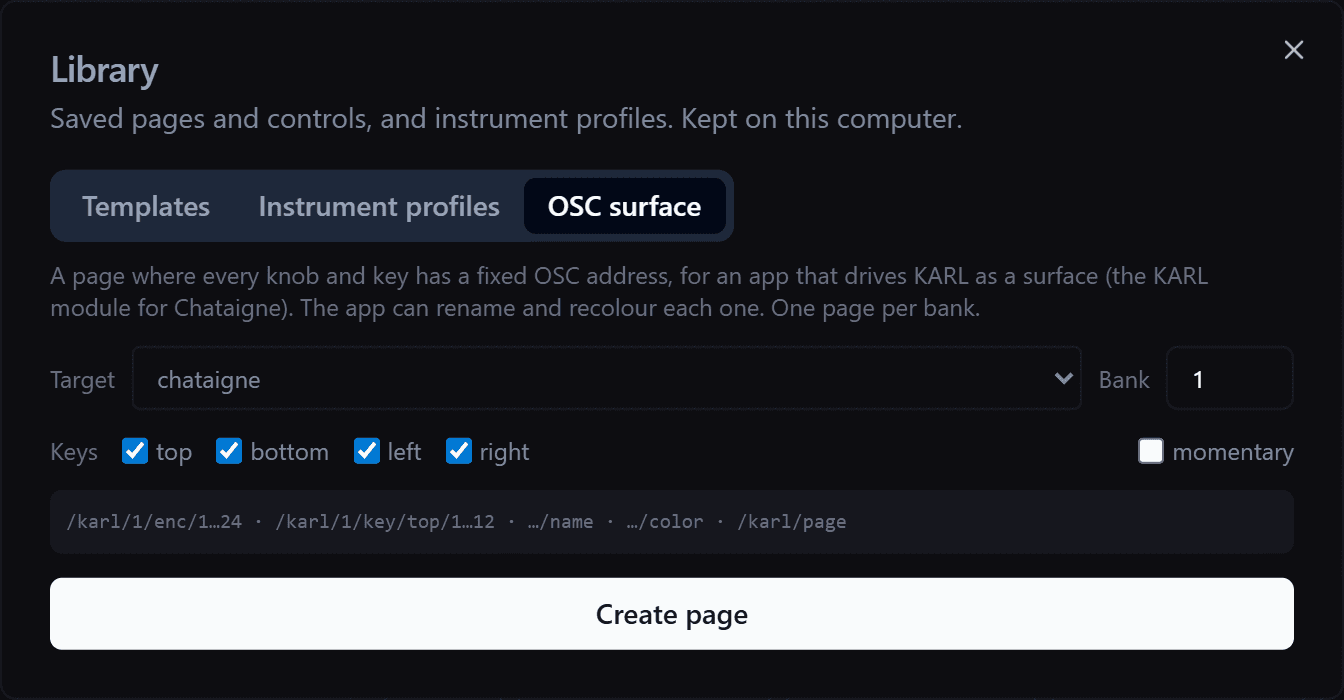
Each page is one bank. For more controls, make a page for bank 2, bank 3 and so on. Keys that your project's global controls already use stay free, so those controls keep working on surface pages.
Keys toggle by default: each press switches the key between on and off, so a key that recalls a snapshot fires once per press. Tick momentary to get on while the key is held and off when you let go.
Click Save & send to put the pages on KARL.
3. Add the KARL module in Chataigne
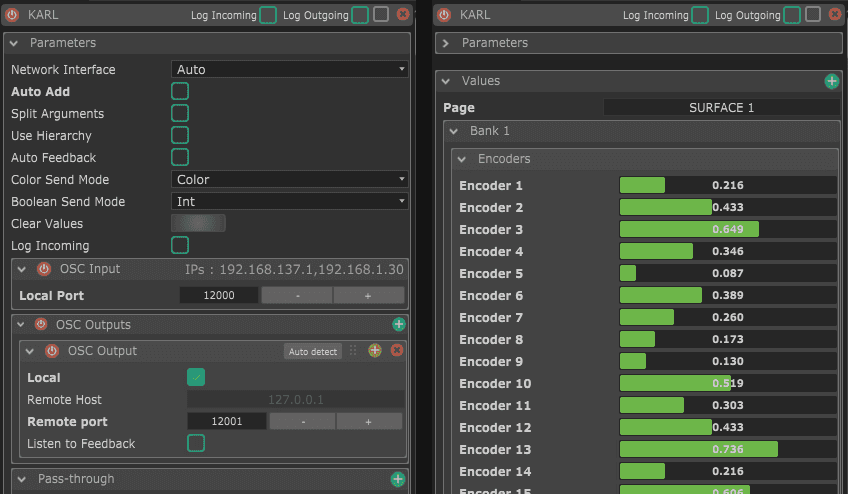
In Chataigne, open the Community Modules manager, find KARL under Hardware and install it. Then add it from the Modules panel. It listens on 12000 and sends to 127.0.0.1 on 12001, the same ports as the configurator's target, so there is nothing to set.
To install it by hand, download the KARL module, put its folder in Documents/Chataigne/modules and restart Chataigne.
Open the surface page on KARL and turn a knob. Its value moves in the module's Values, and the Page value shows SURFACE 1.
Values from KARL
| Page | The name of the page on KARL's screen |
| Bank n > Encoders > Encoder 1 to 24 | 0 to 1. Rows left to right, top row first |
| Bank n > Keys > Top 1 to 12, Bottom 1 to 12 | On or off, counted from the left |
| Bank n > Keys > Left 1 to 8, Right 1 to 8 | On or off, counted from the top |
Values exist for banks 1 to 4. Map them in a State Machine like any other Chataigne value: a knob to a processor's parameter, a key to a cue or a snapshot.
Commands to KARL
| Set Encoder, Set Key | Moves the knob's ring or lights the key |
| Set Encoder Name, Set Key Name | Puts a new name on the screen |
| Set Encoder Color, Set Key Color | Puts a new colour on the screen and the key |
| Go To Page | Opens a page, by its name or its number in KARL's list |
| Resend All | Sends again every name, colour and value set so far |
Commands reach any bank. Set Key also updates the key's value in Chataigne, so the next press on KARL always fires.
KARL forgets names and colours when it restarts. The module sends them again by itself when the link comes back. KARL also announces each page it opens, so a mapping on the Page value can label a bank each time it appears.
Chataigne on another computer
In the configurator, type that computer's address as the chataigne target's host. In Chataigne, set the module's OSC output to the address of the computer running the configurator.
OSC addresses
For other software that wants to talk to a surface page directly:
/karl/<bank>/enc/<1-24>                    0 to 1, both ways
/karl/<bank>/key/<top|bottom|left|right>/<n>   1 or 0, both ways
/karl/<bank>/enc/<n>/name    "AZIM 1"          to KARL
/karl/<bank>/enc/<n>/color   "#00C8FF"         to KARL (same for keys)
/karl/page                   <name>            from KARL, when a page opens
/karl/page                   <name or number>  to KARL, to open a page
/karl/resync                                   from KARL, when the link comes up
Example sessions
Four ready sessions drive immersive audio processors through their own Chataigne modules: SPAT Revolution, L-ISA, d&b Soundscape and CODA SPACE HUB. They come with the KARL module. Install the processor's module from Community Modules too, then open the session.
Each bank controls six objects, one per column: bank 1 is objects 1 to 6, bank 2 objects 7 to 12.
| SPAT Revolution | L-ISA | Soundscape | SPACE HUB | |
|---|---|---|---|---|
| Knob row 1 | Azimuth | Pan | X | Azimuth |
| Knob row 2 | Elevation | Width | Y | Elevation |
| Knob row 3 | Distance | Distance | Spread | Distance |
| Knob row 4 | Gain | Elevation | En-Space send | Level |
| Top keys | Mute, solo | Solo | Mute | Mute, solo |
| Right keys 1 to 8 | Snapshots | Snapshots | Scenes | Snapshots |
| Left keys 1 and 2 | Previous, next | Previous, next | Previous, next | Previous, next |
Only the SPAT Revolution session sends the processor's state back to KARL: source names, positions, gain, mute and solo. The others send KARL its labels each time a bank opens.
Ports, as each processor's module sets them. Check them and the ranges on your processor before a show.
| Processor | Sends to | Listens on |
|---|---|---|
| SPAT Revolution | 8500 | 8501. Set the same ports in SPAT's OSC preferences |
| L-ISA | 8880 | 9000 |
| d&b Soundscape (DS100) | 50010, to 192.168.1.100 | 50011 |
| CODA SPACE HUB | 9301 | 9302. The module's default is 9001, which the configurator uses for TotalMix |